
What you need
- A server that accepts SSH, with its address, port (22 unless changed) and user name.
- A network path from the phone. A server with a public address works from anywhere. A server at home or in an office usually does not, as explained below.
- A key on the phone, or a password if the server still allows one.
- An SSH client app. iOS does not include one.
Reaching a private server
A phone on mobile data is not on your home or office network, so 192.168.x.x addresses will time out. There are two ways in:
- VPN or overlay network (recommended). Put the phone and the server on the same private network with WireGuard or a similar tool. Then port 22 does not have to face the internet at all.
- Port forward on the router. This exposes SSH to the whole internet, and it does not work if your provider puts you behind carrier-grade NAT. If you do it, turn off password login first. See how to disable password login.
A connection that hangs and fails points to a network problem, not a login problem. See Connection timed out.
Keys on a phone
Create a new key on the phone, in the app, and do not copy your laptop's private key over. Copying means the key passes through mail, messages or a cloud folder, and if the phone is lost you must replace that key everywhere you use it.
With a key per device, you remove one line from authorized_keys and the phone is locked out, while your laptop keeps working. Choose Ed25519 and set a passphrase if the app allows it.
Copy the app's public key to the server, using a session you already have:
echo 'ssh-ed25519 AAAA...your-public-key... iphone' >> ~/.ssh/authorized_keysYou can limit what that key may do. This line allows a terminal but no tunnels or forwarding, and accepts the key only from a VPN address range, so a stolen key is worth less:
from="10.0.0.0/24",restrict,pty ssh-ed25519 AAAA...your-public-key... iphoneIn our test the key logged in from a matching address and was refused from another, with forwarding blocked. Drop from= if your phone has no fixed range.
Check the fingerprint on first connect
The first time, the app shows the server's key fingerprint. Compare it with the real one, from a session you already trust:
ssh-keygen -lf /etc/ssh/ssh_host_ed25519_key.pubThis matters more on a phone, because you are more often on networks you do not control. Read how known_hosts works.
Why the connection drops, and what to do
iOS suspends apps soon after they leave the screen, and a suspended app cannot keep its network connection going. It can ask for a short extension, but the system decides how long. Unless the app can stay connected in the background, switching to another app for a few minutes or locking the phone ends the session. A change of network, such as Wi-Fi to mobile data, also breaks an ordinary SSH connection. Keep-alive settings do not fix either case.
So do not fight it. Run your work inside tmux on the server, and reattach after each reconnect:
tmux new -A -s phonePrograms inside it keep running while the phone is away. Details are in how to keep sessions alive with tmux. Do not start a long job outside tmux from a phone.
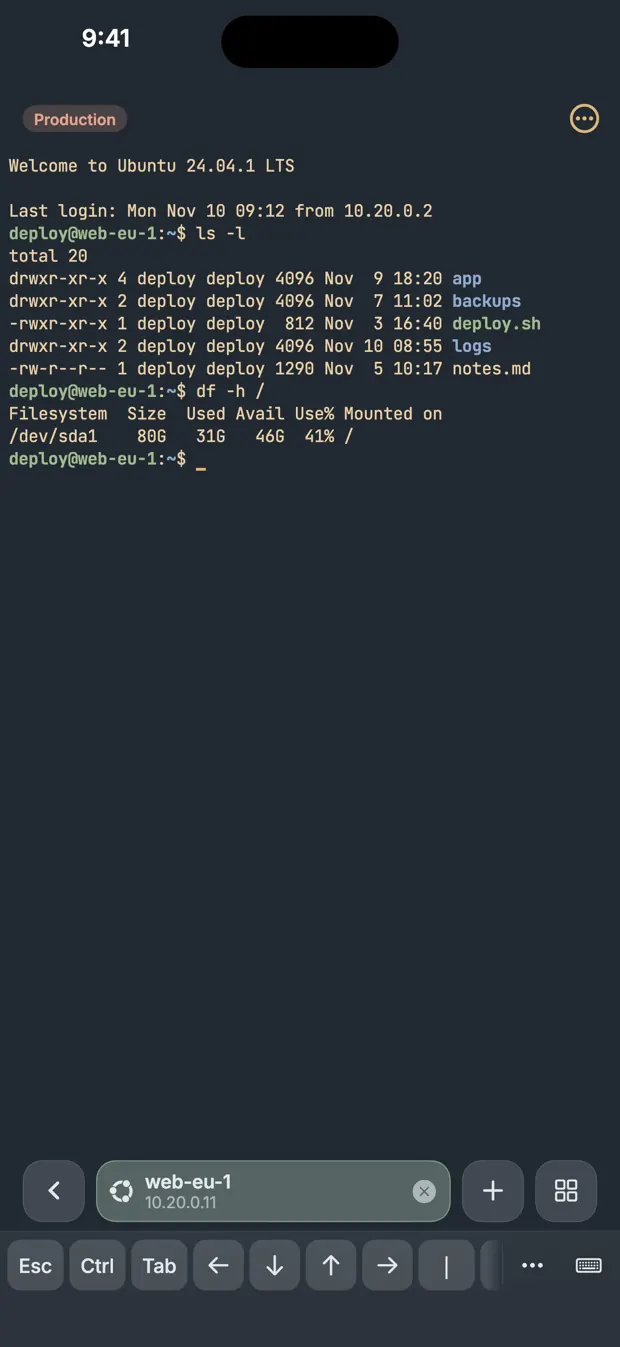
Mosh is the other answer to a changing network. Read Mosh vs SSH: what is the difference before you install it on the server.
How to choose an app
- Extra keys. Esc, Tab, Ctrl and arrows must be one tap away. The iOS keyboard has none of them.
- Keys. It should generate Ed25519 keys, and let you see the public key and set a passphrase.
- Host key checks. It should show the fingerprint on first connect and stop when it changes.
- Where secrets are kept. Look for the iOS Keychain or strong encryption, and read what the maker says about sync.
- App lock. If anyone else ever holds your unlocked phone, an app lock with Face ID or a code matters.
- Reconnecting. Check whether it can stay connected in the background, whether it reconnects by itself, and whether it can run a command like the tmux line above after login. Some apps offer Mosh, a separate protocol that survives network changes and needs a server component.
- Terminal quality. Try tmux and vim in it before you rely on it.
Questions
Does the iPhone have a built-in SSH client?
No. iOS has no terminal and no ssh command, so an interactive session needs an SSH client app. The Shortcuts app can only run a script over SSH.
Why does my SSH session disconnect on iPhone?
iOS suspends apps soon after they leave the screen, and a suspended app cannot keep its connection open. Run your work in tmux on the server and reattach, or use Mosh for network changes.
Can I log in with an SSH key from an iPhone?
Yes. Create an Ed25519 key in the SSH app and add its public key to authorized_keys on the server. Use one key per device, so a lost phone is locked out by removing one line.
Sources
- sshd(8), authorized_keys format, OpenBSD manual
- tmux(1), OpenBSD manual
- Extending your app's background execution time, Apple Developer
- WireGuard